1. What I Actually Did (How It Started)
I wanted to clean up my personal X profile (@MasterManikant) so that it only has useful educational posts. Here is what I did manually:
- Un-reposted old tweets: Over the last few months, my profile had reposts of various tweets. I sat down and manually clicked "Undo Repost" on several dozens of them one by one to clean up my timeline.
- Posted a 5-tweet educational thread: Right after cleaning, I posted a 5-tweet thread explaining how password security and mathematics work in FrankPass. Because I had already written the text and created the 5 images beforehand, I just copied, pasted, and posted them very quickly one after another (within 2 to 3 minutes).
To any person, this is completely normal: you clean your profile, then you post your work. But to an automated spam filter, undoing lots of reposts quickly and then posting multiple tweets with images in 2 minutes looked like an automated bot or a script.
2. The 4 Steps & Real Screenshot Evidence
Here is the step-by-step timeline of what happened next:
The system flagged the account and suspended it
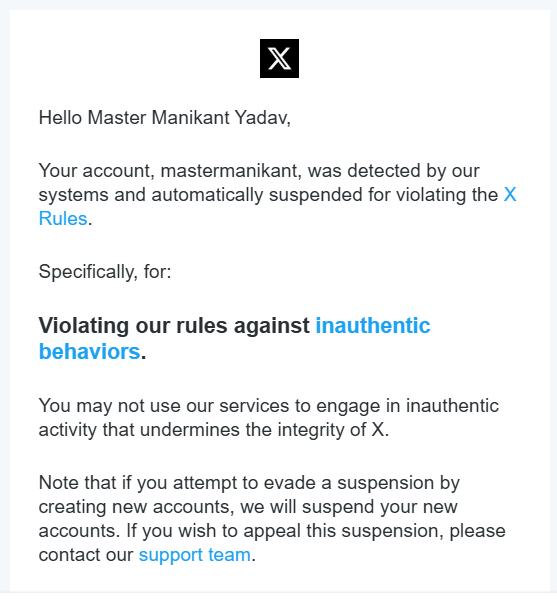
A few minutes after posting the 5th tweet, X sent an automated email saying the account was detected and suspended for "Violating our rules against inauthentic behaviors".
Appeal was rejected, but email said to follow "on-screen instructions"
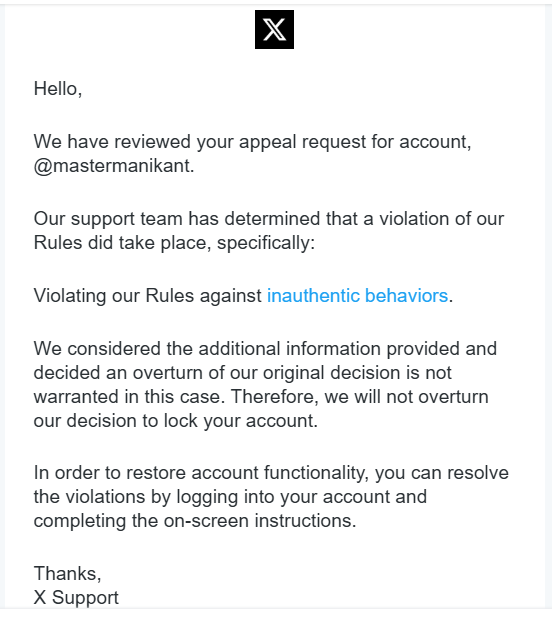
I submitted an appeal right away explaining what I did manually. Soon, an email came back saying the appeal was rejected. But it added: "In order to restore account functionality, you can resolve the violations by logging into your account and completing the on-screen instructions."
Logging in only showed a read-only banner and a link to appeal
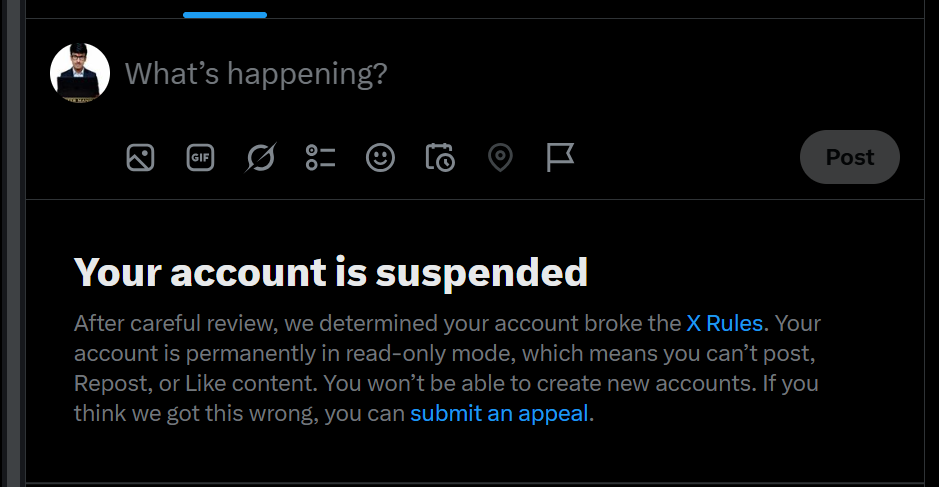
I logged in expecting a phone verification, CAPTCHA, or simple prompt. But there were no instructions at all. It only said: "Your account is permanently in read-only mode... If you think we got this wrong, you can submit an appeal."
Trying to submit an appeal gave an error: "Case already in queue"
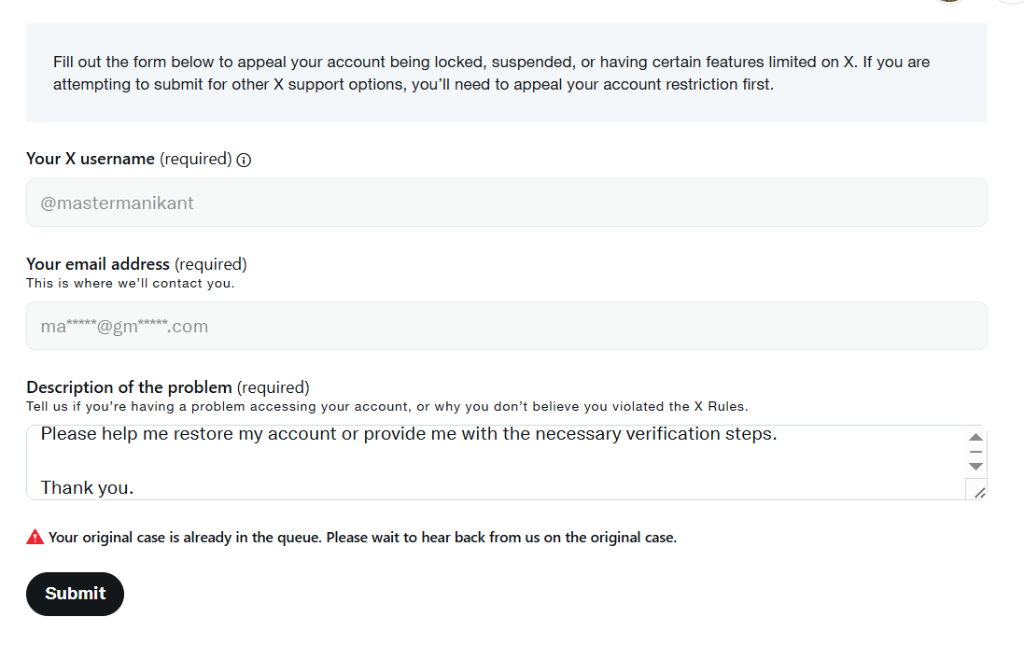
When I clicked the appeal link on the screen to explain again, the form showed an error: "⚠️ Your original case is already in the queue. Please wait to hear back from us on the original case." This created a complete loop: Email says log in → Login screen says appeal → Appeal form says the case is in queue.
3. How It Felt: Tension & Frustration
When an automated system makes a mistake like this, it naturally creates mental stress and tension.
"You spend your time and effort building useful tools and honest work for people, and suddenly an automated machine marks you as a fake bot."
Because there is no human support or direct chat to talk to, being labeled as 'inauthentic' by an automated script feels very unfair and stressful.
4. The Main Lesson: Why You Need Your Own Website
This experience clearly shows why building on social media platforms is like building on rented land:
On social platforms (X, YouTube, Instagram, LinkedIn), you do not own your profile or your connections. An automated glitch can lock you out without any warning.
That is why having your own independent setup is essential:
- Your Own Website: Websites like mastermanikant.com and frankpass.com that you own 100%, where no algorithm can block you.
- Direct WhatsApp Channels: Broadcast channels where updates reach people directly without algorithm filters.
- Offline-First Tools: Software like FrankPass that works directly in your browser without depending on servers.
5. How to Reach Me
If you have any suggestions, advice, or can help resolve this issue, please reach out to me directly:
- Email: connect@mastermanikant.com
- LinkedIn: linkedin.com/in/mastermanikant
- Official Updates on X: @frankpasshq
Founder, FrankPass & FrankBase